Linkmaps Make You Look Psychic
See Through The Noise. Spot The Gold.
While they're squinting at spreadsheets, you're showing live feedback proof of exactly where their site's bleeding authority and how to fix it.
Enter any domain. Watch your screen fill with a stunning web of connections most people will never see.
Hidden clusters. Ghost links. Authority black holes. All glowing in living color.
You'll know what to fix before they finish explaining the problem.
We Fixed 200+ Internal Links After Seeing This...
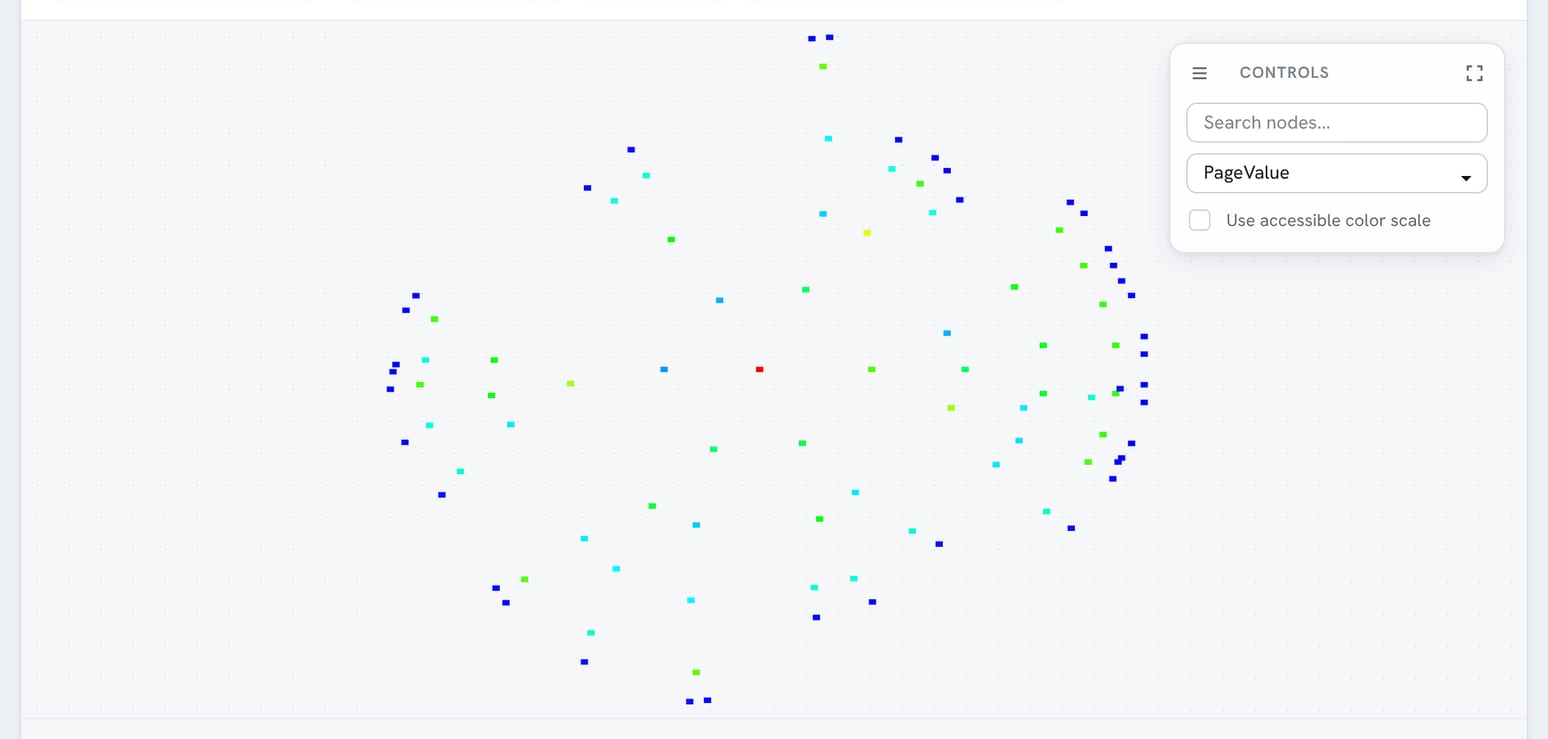
Same website. Same content. Strategic internal linking made the difference.
Random Internal Linking
Pages scattered everywhere. No content strategy. No clear navigation paths.
Strategic Link Architecture
Clear content clusters. Logical pathways. Pages that make sense together.
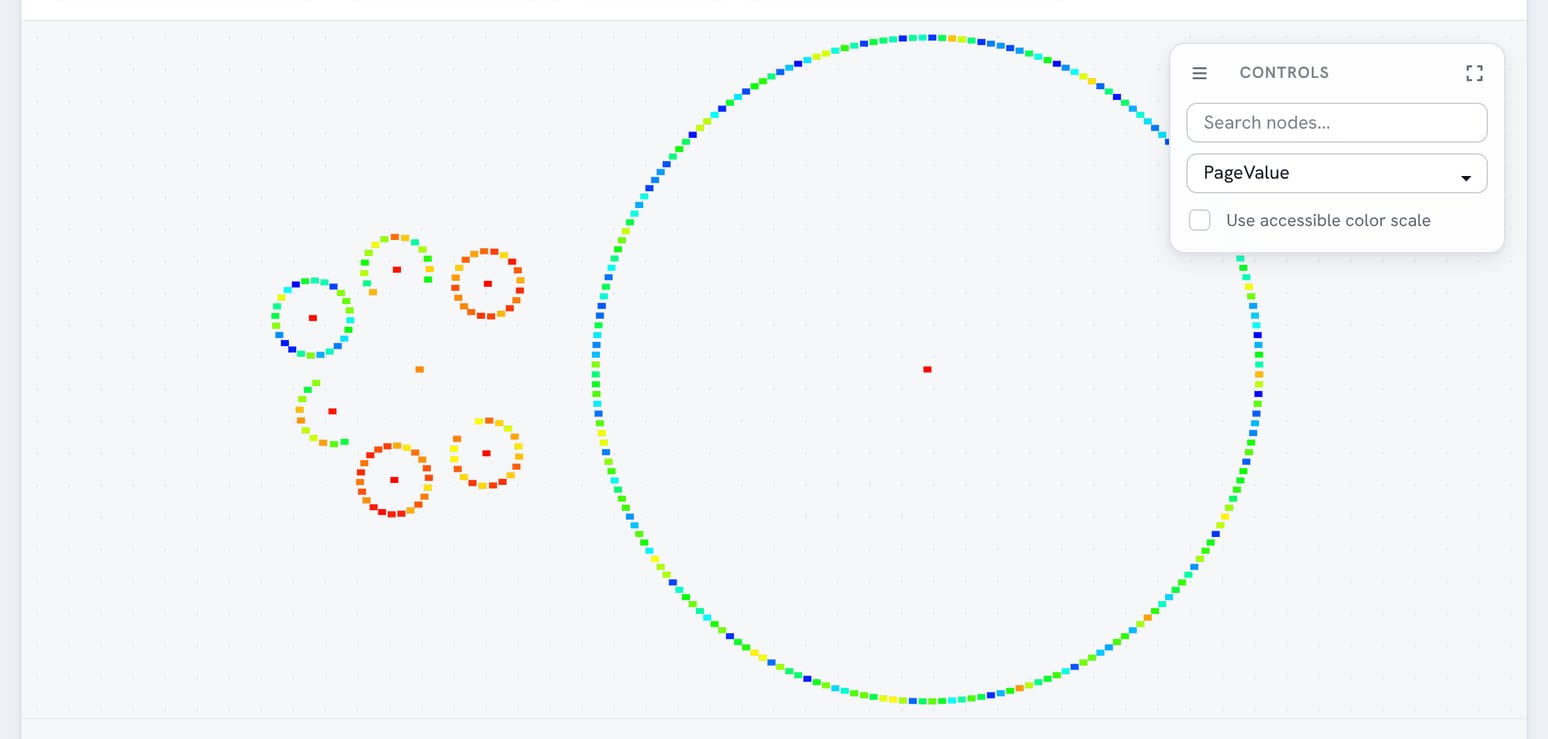
"I saw my ugly linkmap and knew I had to fix my links... and a LOT of them. So we built widgets for recent/popular/featured content. The linkmaps tightened up as the pages made more sense together."
- What happened when we visualized our own site structureWhy Visual Website Understanding Drives Business Success
Whether you're winning clients, securing executive buy-in, or optimizing your own site. Visualization transforms understanding into results.
Complex Sites Need Visual Clarity
Large websites with hundreds of pages can't be understood mentally. Agencies need client-wow demos, executives need clear reporting, and website owners need to see what they have.
Presentations That Win & Retain Business
Professional linkmaps set you apart from competitors, secure budget approvals, and keep clients engaged long-term. Abstract explanations lose deals - visual proof wins them.
Hidden Revenue Opportunities
Related pages that should link to each other often don't. Visual clustering reveals these missed opportunities instantly - whether you're optimizing for clients or your own business growth.
Interactive Linkmap That Reveals Everything
Auto generated network graphs that show exactly how your website's pages connect and cluster.
Zero-Effort Visual Layout
Our system crawls your website and creates a clickable network visualization. No manual mapping, no complex configuration - just instant insight into your site's structure.
Smart Content Clustering
Pages with similar content group together, revealing your site's natural topic organization and content themes.
Interactive Link Exploration
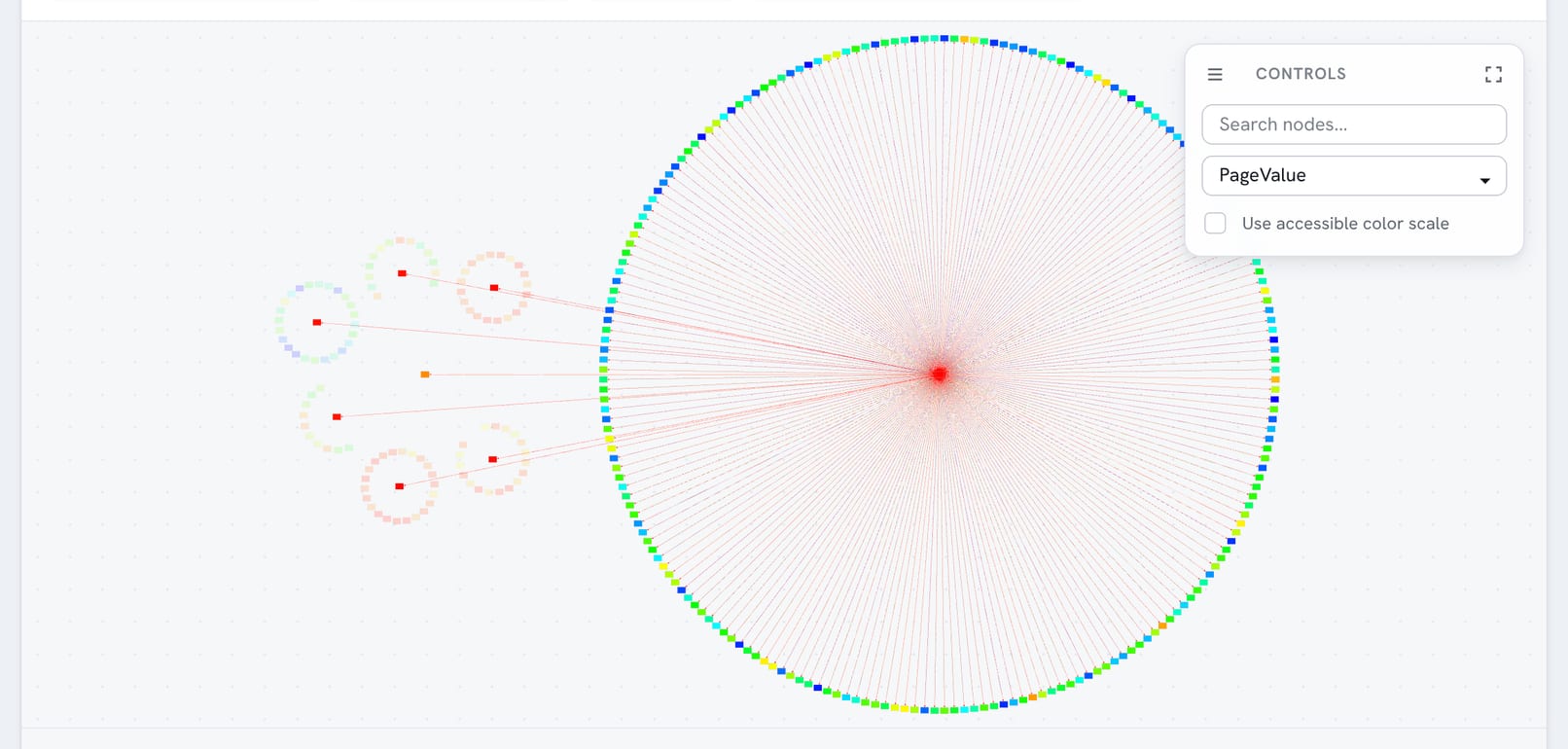
Hover over any page to instantly see all its incoming and outgoing links. Non-connected pages dim out, making related pages and links crystal clear.
Opportunity Highlighting
When related pages in the same cluster don't link to each other, you'll spot missed chances for strategic internal linking.
Metric-Based Heatmaps
Color-code pages by any metric - PageRank, traffic, conversions - to visualize how performance correlates with site structure.
See Your Site Structure Live
Hover any page to see connections instantly. Click for detailed analysis. No spreadsheet wrestling required.
Hover to Explore
See all incoming and outgoing links for any page. Related pages highlight, others dim.
Click for Details
Get full page metrics, link counts, PageRank scores, and optimization opportunities.
Zoom & Filter
Focus on specific content areas, page types, or performance metrics.
Every Feature Designed for Clarity
Professional linkmap tools that make complex websites instantly understandable.
Visual Interaction
- Hover effects show link relationships.
- Zoom and pan for detailed exploration.
- Hover to show links in and out.
- Click a page to get details about it.
- Drag nodes to explore different layouts.
- Search and filter by page properties.
Smart Analytics
- Automatic relevance-based clustering.
- PageRank flow visualization.
- Content similarity mapping.
- Link depth analysis.
Client Sharing
- Secure, expiring share links.
- Read-only client access.
- Revocable permissions.
- Mobile-responsive viewing.
Strategic Insights
- Missing internal link opportunities.
- Content silo identification.
- Authority flow optimization.
- Navigation pathway analysis.
- Topic gap discovery.
LinkMaps turn abstract website architecture into visual stories anyone can grasp. Whether you're planning content strategy or explaining SEO suggestions, these linkmaps make complex links clear right away.
The tool is completely free and works with any website. Simply enter your domain, wait for the crawl to complete, and explore your site's structure like never before.
Turn Website Visualization Into Business Results
Professional displays that win deals, secure budgets, and deliver measurable outcomes.
Instant Credibility & Client Retention
Clients grasp their investment right away when they see their website mapped out. Higher retention rates, easier upsells, and referrals that mention "you have to see this tool they showed me!"
Executive Buy-In & Budget Approval
Executives approve what they understand. Visual presentations cut through tech jargon and secure the resources your SEO work needs to succeed.
Competitive Advantage in Proposals
While competitors present spreadsheets, you present interactive insights. Win more business by showing the depth of your analysis capabilities upfront.
Faster Setup & Results
Clear visual roadmaps accelerate project execution. Teams understand priorities instantly, reducing back-and-forth and delivering faster ROI.
See the Difference Linkmaps Make
From abstract concepts to clear visual insights.
Traditional Approach
Client Meeting:
"Your product pages need more internal links from your blog content. The authority isn't flowing properly through your site architecture."
Client Response:
"I don't understand. Which pages? How do you know the authority isn't flowing?"
Result:
- Abstract explanations create confusion.
- Clients struggle to visualize the problem.
- Advice feel theoretical.
- Implementation becomes guesswork.
LinkMap Visualization
Client Meeting:
"Here's your website structure. See how your blog content (blue cluster) is isolated from your product pages (red cluster)? Let me show you exactly which pages should connect."
Client Response:
"Oh wow, I can see the problem! Those blog posts about [topic] should definitely link to this product page."
Result:
- Immediate visual understanding.
- Specific, actionable recommendations.
- Client engagement and buy-in.
- Clear implementation roadmap.
Completely Free Forever
Professional linkmap tools at no cost!
Get Started in Minutes
Three simple steps to your first LinkMap
Enter Your Domain
Create a new project and enter your website URL. Our crawler will start analyzing your site structure immediately.
Wait for Analysis
Grab a coffee while our system crawls your site and creates the live maps. Most sites complete in 15-30 minutes.
Explore and Share
Interact with your LinkMap, discover gaps, and create secure sharing links for client presentations.
Perfect for Every Website Professional
Different roles, same powerful visual results.
SEO Agencies
Win more clients with professional presentations that separate you from competitors using spreadsheets. Client retention improves when they can see their investment visually.
In-House SEO Teams
Secure executive buy-in and budget approvals with clear visual reporting. Executives understand and approve what they can see and interact with.
Solo Consultants
Compete with larger agencies by delivering enterprise-level linkmaps. Professional presentations justify premium rates and accelerate client acquisition.
Marketing Teams
Understand content relationships for strategic planning. Visual site structure reveals content gaps, topic overlap, and optimal user journey paths.
Website Owners
Finally see what you actually own without technical complexity. Identify improvement gaps and understand how your content connects before hiring help.
Visualize Your Website Today
Create clickable linkmaps that transform how you understand and present website architecture.