Understanding Page Relationships and Site Structure
At the heart of LinkMap™'s visualization is a powerful way to understand how your website pages connect and relate to each other. Understanding these relationships is key to optimizing your site's structure for both users and search engines.
Natural Hierarchy Visualization
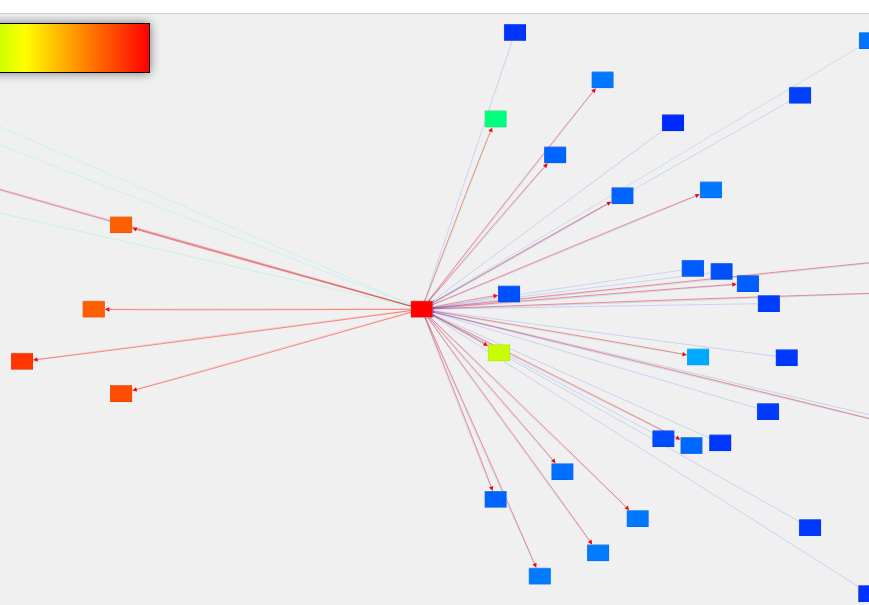
The visualization arranges your pages in what we call a "starburst pattern" - a natural, radial layout that reveals your site's true hierarchy. Your homepage acts as the central hub of the visualization, with pages spreading outward based on their distance from the homepage. Related pages cluster around their parent pages, creating natural content groups that make your site's organization immediately clear.
Understanding Page Depth
Page depth is how many clicks it takes to reach a page from your homepage. In the visualization:
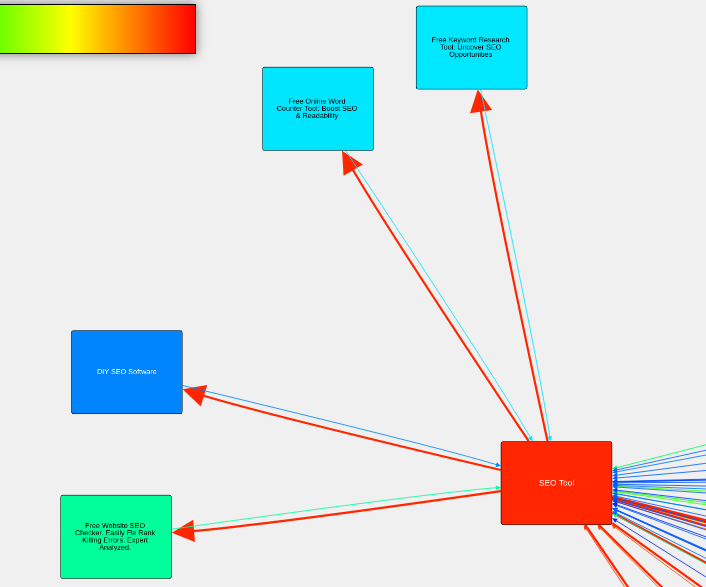
Each "ring" represents one click away from the homepage. Pages further from the center take more clicks to reach, and that distance is measured and stored for every page on your site.
Reading Depth
Depth is a measurement, not a verdict. A page four clicks out is not failing, and moving it up one ring is not a ranking tactic. What the number is good for is comparison: against the rest of your own site, and against the pages Google is already showing for the query you want.
Page Value Distribution
Your site's link structure naturally creates patterns of page value:
High-Value Pages
Your homepage typically serves as your highest-value page, along with navigation menu pages, footer links, and other template-level pages linked site-wide. These pages naturally accumulate more internal links due to their prominent placement.
Content Distribution
Most websites follow a natural pattern where a small number of pages receive many internal links while the majority of content pages have fewer incoming links. This creates varying levels of internal page authority throughout your site.
Understanding Page Value
PageValue is not a fluid moving through pipes, and it is not Google's opinion of your page. It is a score LinkMap calculates across your site's own link structure: a page scores high because of what links to it, and because of what links to those pages in turn. The scale is your site measured against itself, so your strongest page anchors the top of it.
Using This Information
LinkMap™'s visualization shows where every page sits and what it scores, which is how you find the pages your own link structure is starving. Whether that matters depends on what you want ranking and on what the pages already ranking look like.
Real-World Example
If you notice an important product page is several clicks deep in your site, you might:
- Add it to your main navigation
- Link to it from high-value pages
- Create more direct paths from your homepage
The visualization will show you how these changes impact the page's position and value in your site's hierarchy.
What Does the Math Say
About Your Site?
Finding out is free and takes minutes.